It is assumed that Windows Defender should protect users of the Windows OS from malware. So it comes as no surprise that attackers are constantly seeking ways to disable this built-in antivirus.
In 2025, several new attack techniques emerged enabling just that. In summer we covered methods involving a vulnerable driver (BYOVD). Then in autumn researchers from Zero Salarium disclosed an approach to disable Windows Defender without any third-party software — using a symbolic link (symlink).
How the attack works:
Windows Defender stores its executable components in this directory:
%PROGRAMDATA%\Microsoft\Windows Defender\Platform\[version_number]Every time Defender updates, a new subfolder with the version number is created, and the service runs from there.
Administrative privileges are not sufficient to create or modify files within Defender’s directories — including the Platform folder. However, administrators can create a new directory inside it. They can also create a symbolic link pointing to a controlled location.
This results in Defender using files from a malicious-controlled directory after successfully redirecting its path. This allows:
— injecting custom libraries (DLL sideloading);
— executing arbitrary code within the context of the Defender service;
— modifying or deleting Defender’s executables;
— simply breaking Defender’s operation (removing the symlink prevents the MS Defender service from starting).
In simpler terms, an attacker can fully neutralize or take control over Windows Defender without using any external tools. All they need to do is:
Copy the latest version of Defender from
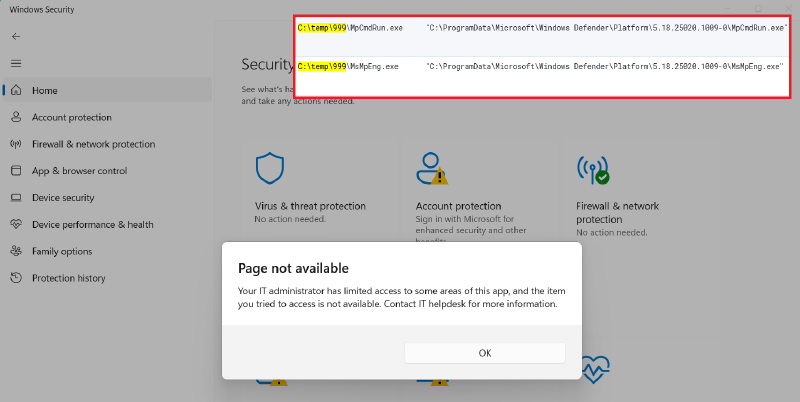
Platforminto another directory — for example,C:\temp\999In the
Platformfolder, create a symbolic link with a name resembling a newer version (e.g., for current version 4.18.25020.1009-0, use 5.18.25020.1009-0). Use this command:
mklink /D "C:\ProgramData\Microsoft\Windows Defender\Platform\5.18.25020.1009-0" "C:\temp\999"- Restart Windows.
After reboot, the system will load what appears to be a new version of Defender, and registry entries with absolute paths will point through the symlink to C:\temp\999. Removing this link will prevent Defender from starting altogether.
How to defend:
Since creating symbolic links is not logged by default, detection requires monitoring command lines involving arguments like mklink, New-SymbolicLink, symboliclink — especially when targeting the \Windows Defender\Platform directory.